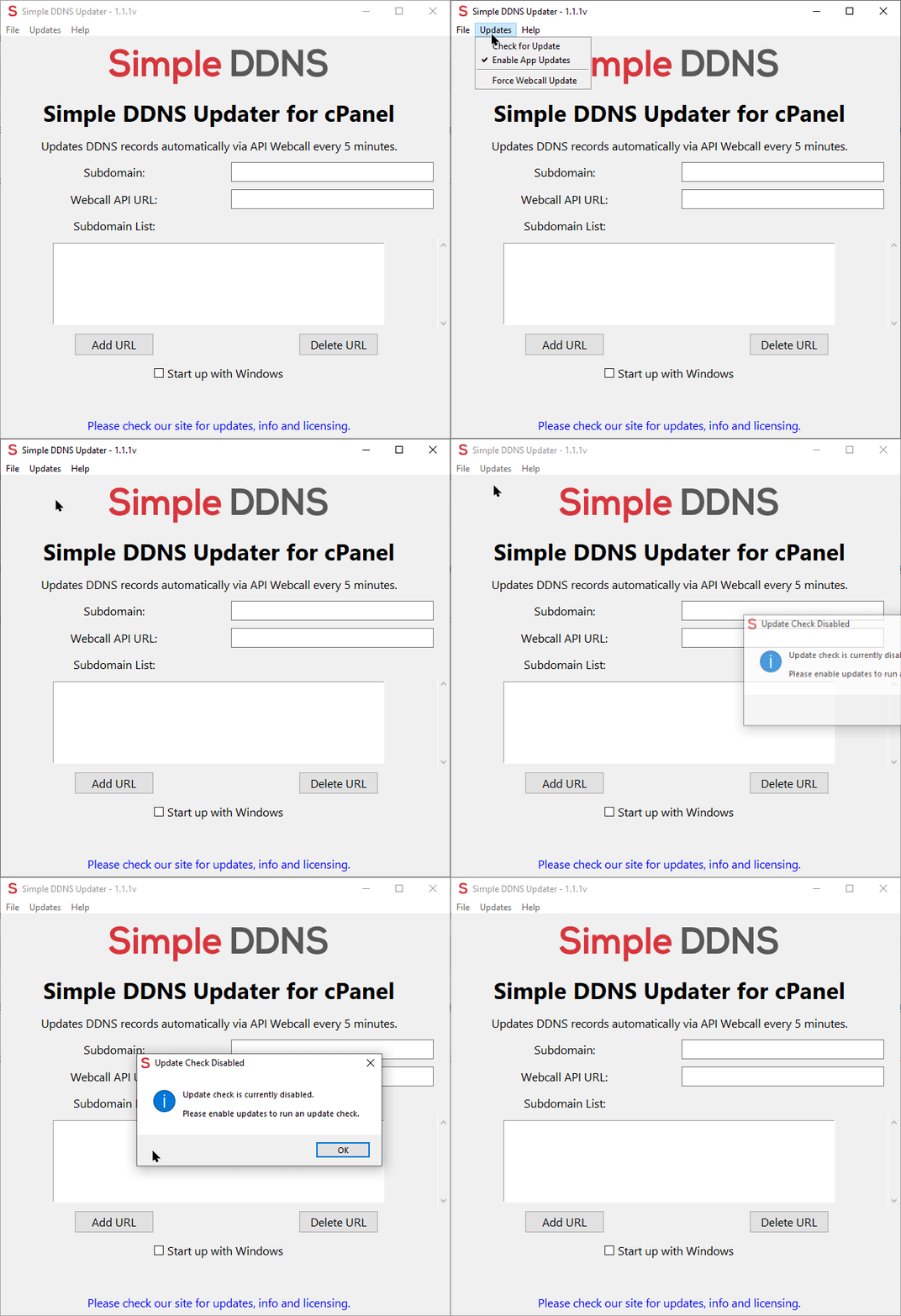
If your running older versions of the app then you may need to disable the auto update feature, which happens when the app initially opens.
However, please take in to consideration that versions older then 1.1.1v do not support the disable update feature, you would need to run a newer version to disable updates.
To disable this feature and stop your version from updating please start by opening Simple DDNS Updater app.
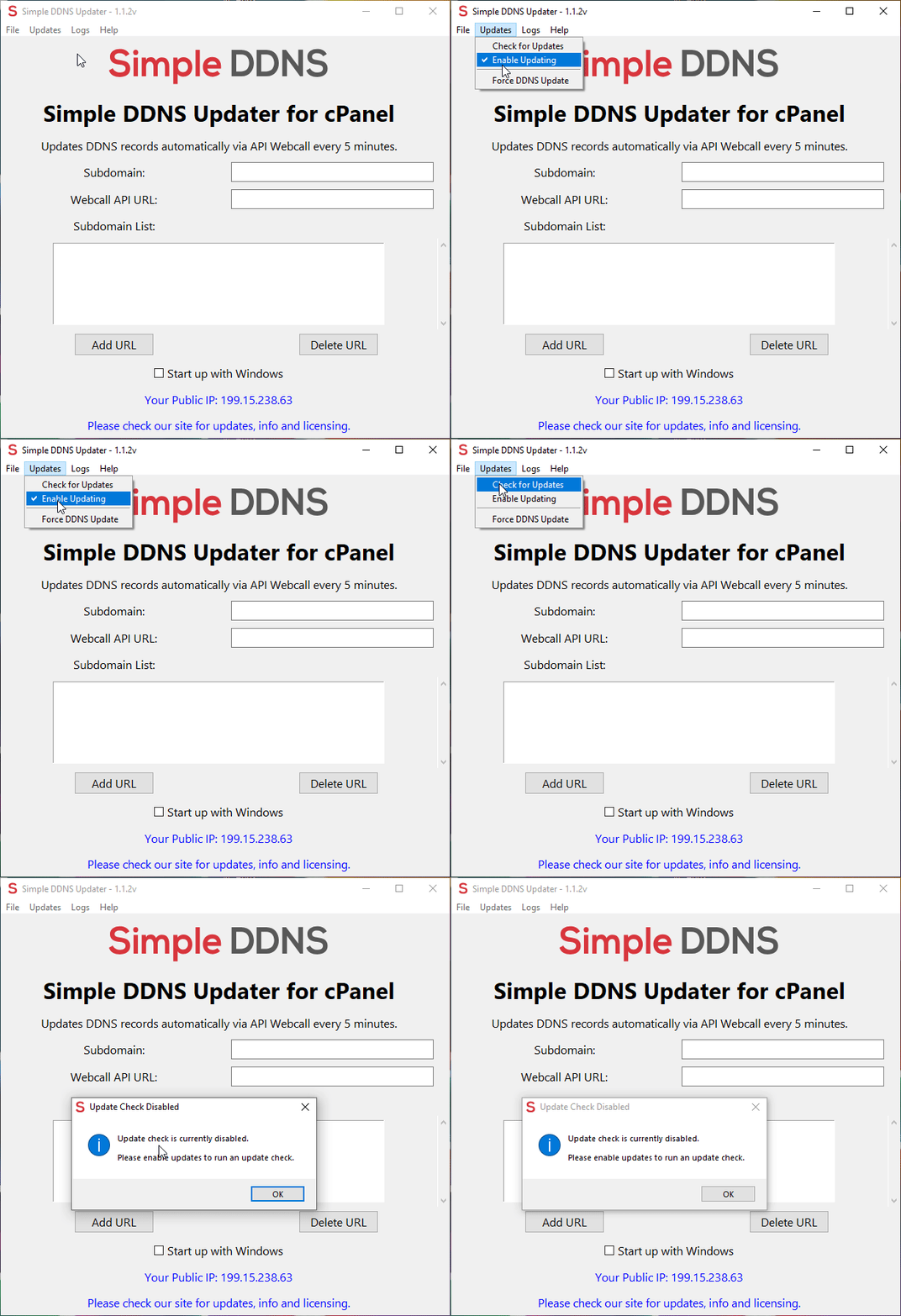
If there is an update available for your version then just say No to stop the update and then go to the Top navbar and click Updates > Enable Updating (Older versions have different field names: Enable App Updates)
Once you've disabled updates you will no longer be prompted to update to the latest version.
Version 1.1.2v and above:
Version 1.1.1v: