
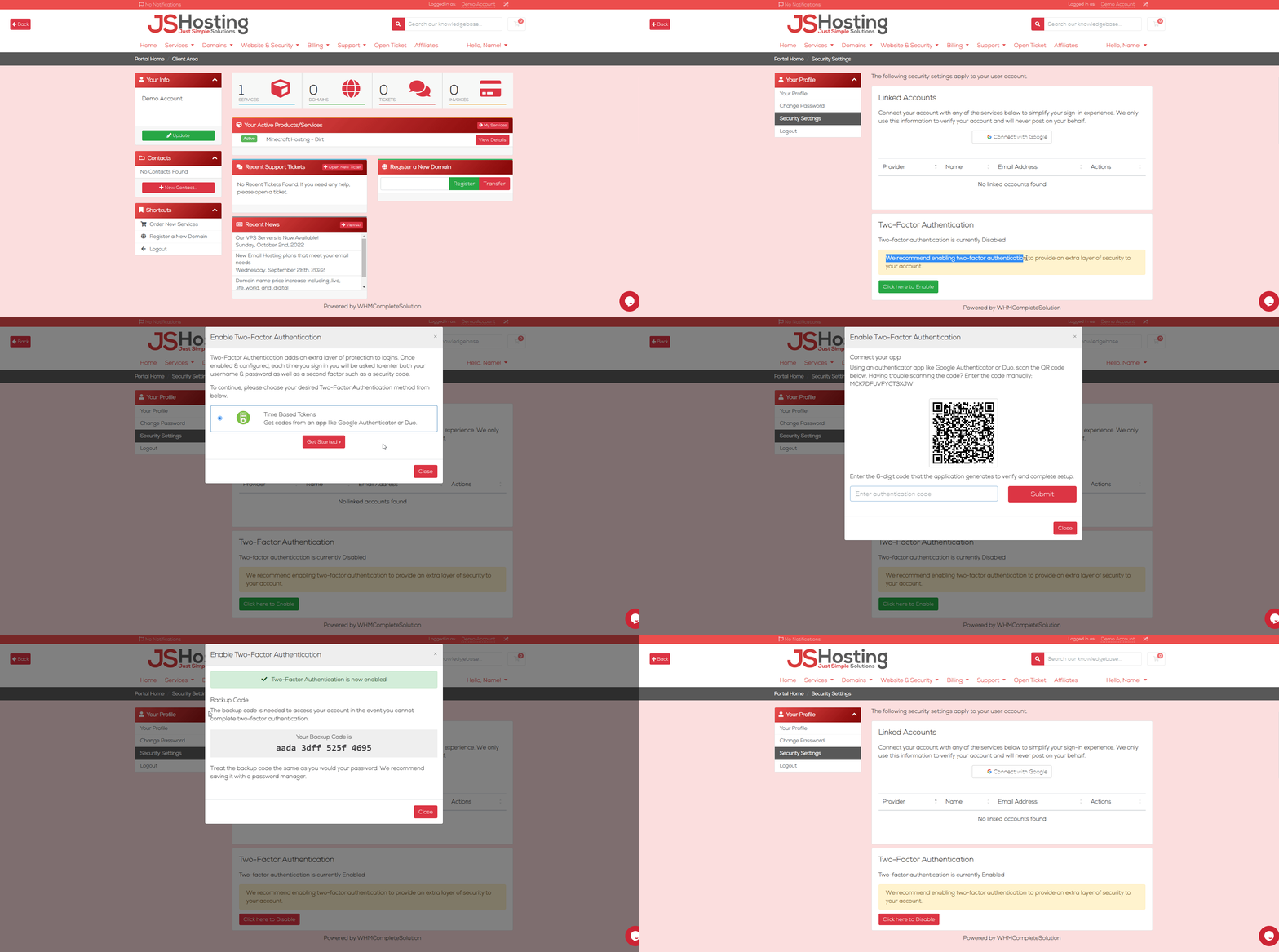
- Login to your billing account at www.jshosting.co.uk/login
- Go to your account profile > Security Settings
- Click, Click here to enable
- Then connect your app, we recommend google authenticator (Android or iOS app download) or other similar apps.
- Scan the QR Code you see on screen and then enter the code that is generated by the app.
- It will provide you with a backup code to help you recover your account in the event you happen to lose your device. We strongly recommend keeping this secure and in more then one place.
- Once enabled this adds additional protection to your website and your hosting account.
If you have issues with following this tutorial or can't regain access to your account then contact our support team at support@jshosting.co.uk or go to our support area at support.jshosting.co.uk and open a support ticket with our general support team.
Helpful advise on Securing your billing account
You can setup single sign on with your google account to make it easier and safer to login, Its above the Two-Factor Authentication section.
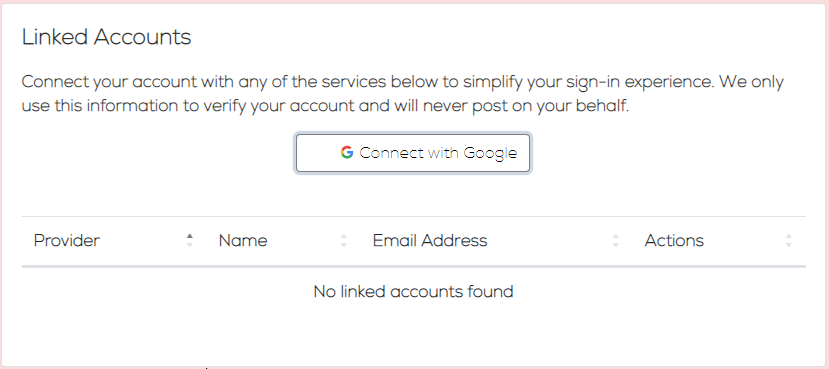
Once your google account is linked to your billing account you can sign in using the google sign in button on our billing area login page.
For further security we advise resetting your password to something more secure and we recommend you not to use the same password as you may of done with other accounts, we strongly recommend you use a password generate to get a random password with a high character count and then to use your google account to securely access login to your billing account.
Check out our article on How do I reset my billing account password?